 WooCommerce
Order fulfillments

ClientWooCommerce
WooCommerceServicesProduct design
User testing
Prototyping
Design QA
Automattic Remote · 2025 – 2026
User testing
Prototyping
Design QA
Automattic Remote · 2025 – 2026
About the project
I took over the design of order fulfillments in March 2025, built on a colleague’s early concepts, and worked with a PM and an engineer to finish it. I covered every case, tested it with 13 people, documented every state and reviewed the build, and it launched as a beta in WooCommerce 10.2. Since then I’ve proposed how it works for stores with more than one warehouse and for local pickup.
01 — Where we started
One status was doing two jobs.
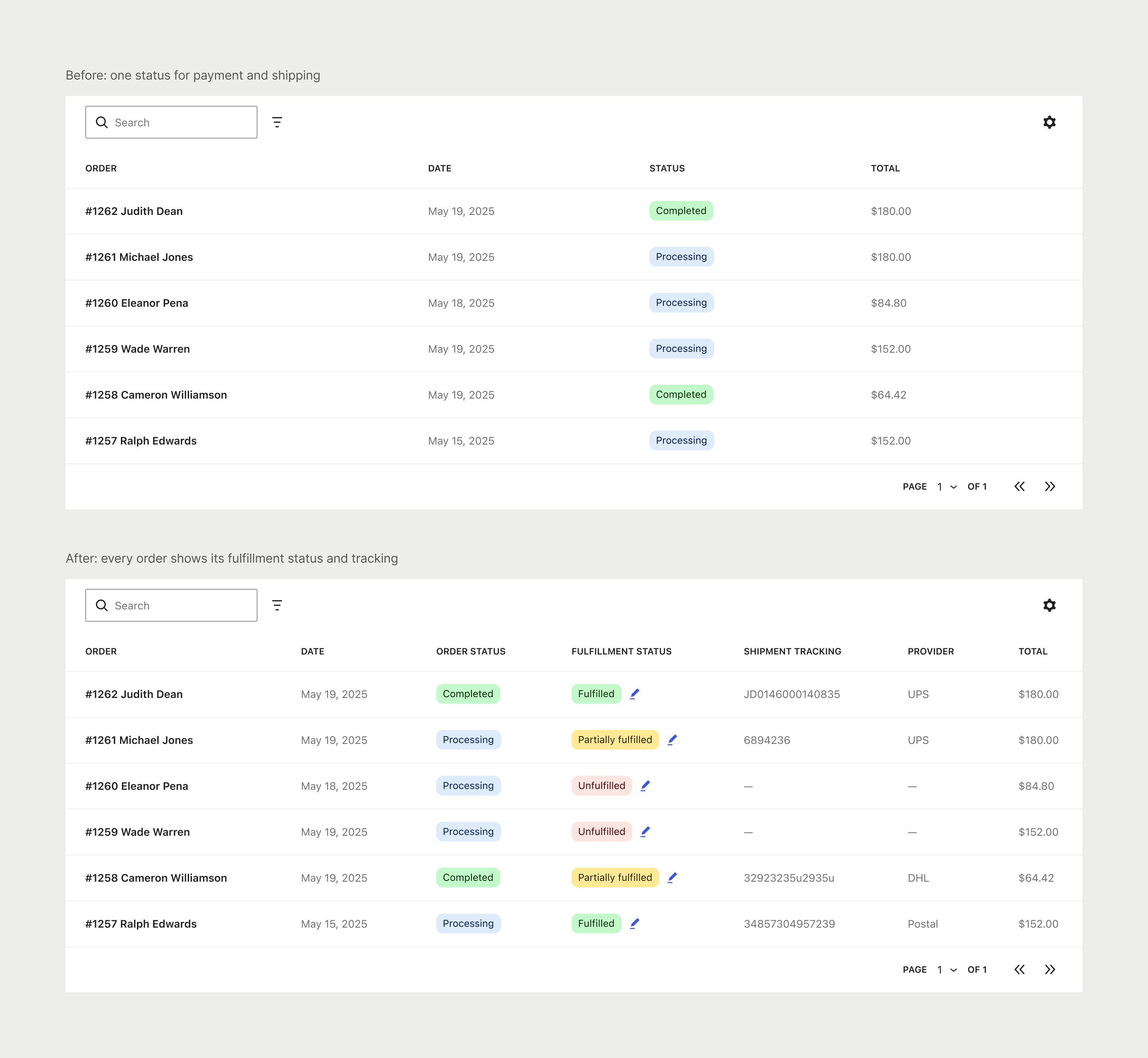
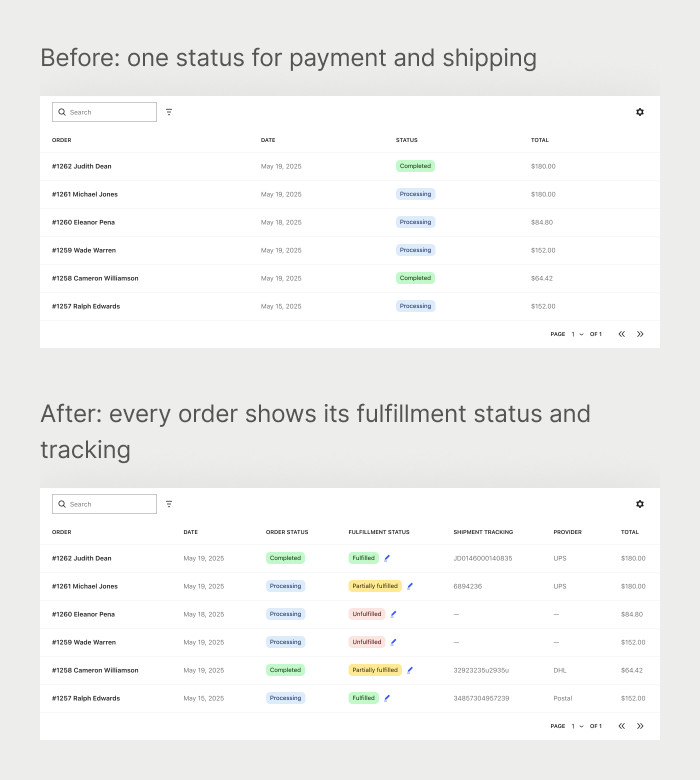
WooCommerce used one order status for payment and shipping, so merchants couldn’t see what had shipped, and to ship part of an order they had to copy it. A January 2025 feedback post got 63 responses, which pointed to three problems: knowing which orders needed action, adding tracking and keeping customers updated. So every order needed its own fulfillment status and tracking.
02 — Partial fulfillments · Beta
Ship part of an order, save the rest as a draft.
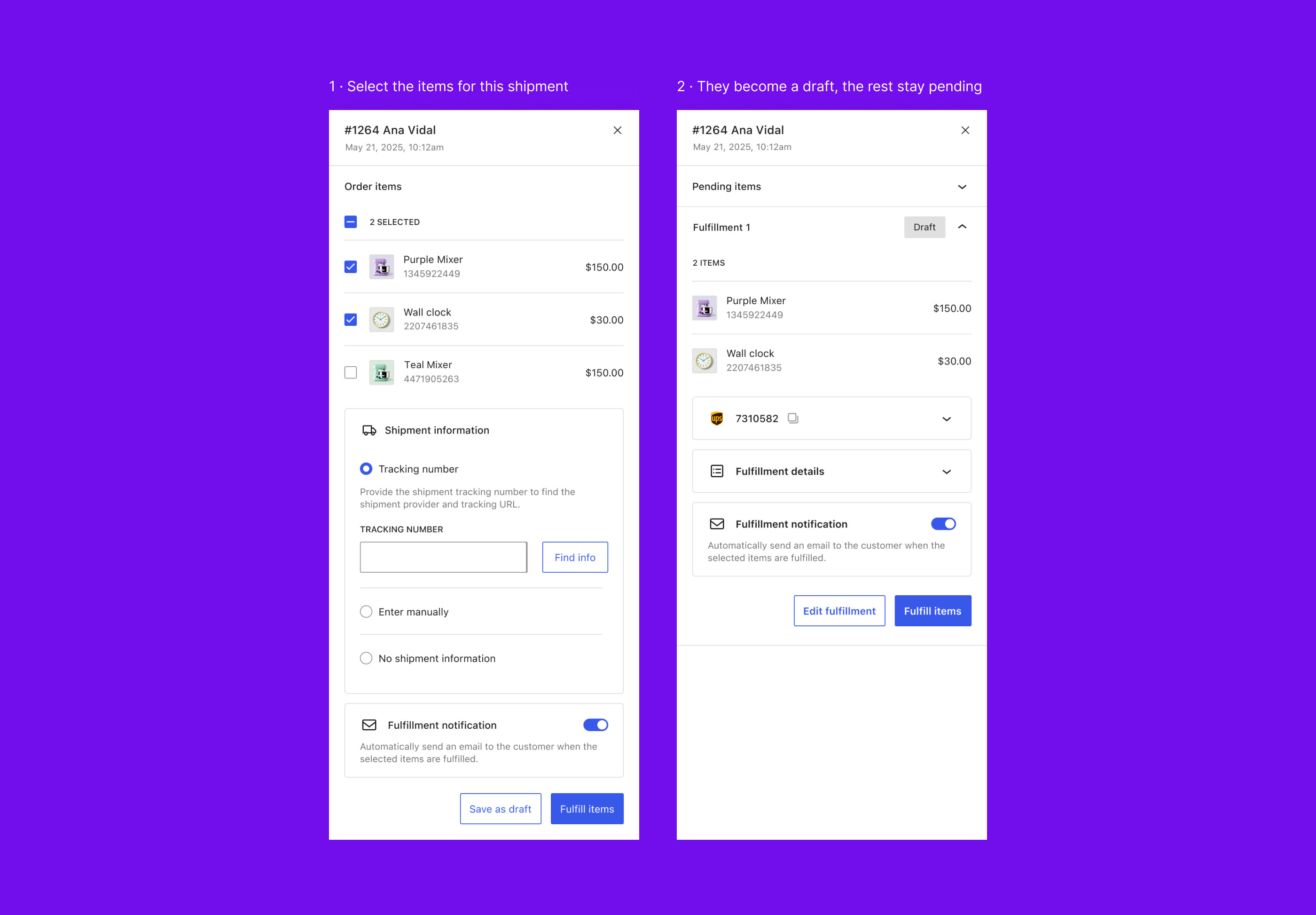
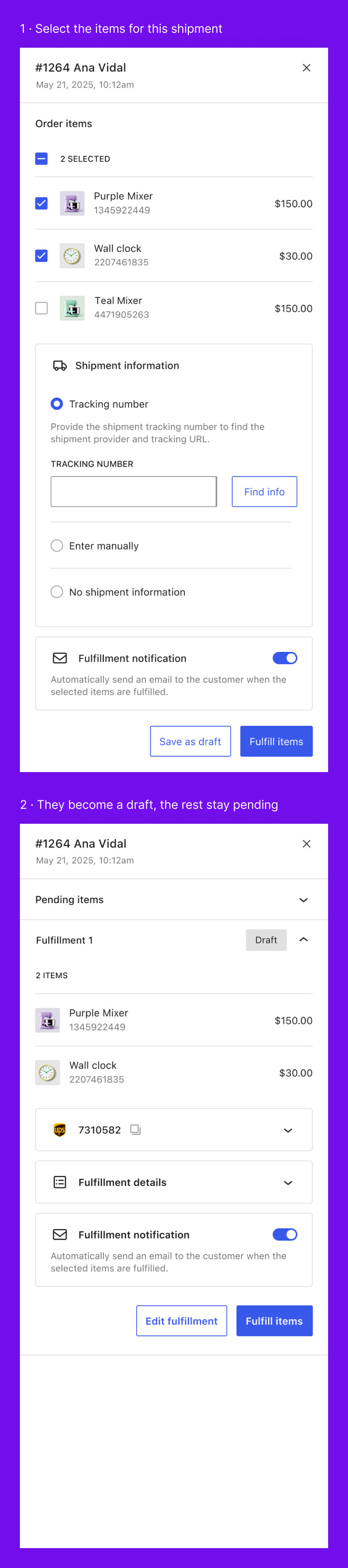
Merchants often ship an order in parts, so they need to prepare a shipment before sending it. The early concepts had a “Save” button, but even the team couldn’t say what it did, so I turned it into “Save as draft”: a draft keeps the items unfulfilled, doesn’t email the customer, and can be edited, fulfilled or removed later.
03 — The shipment module · Beta
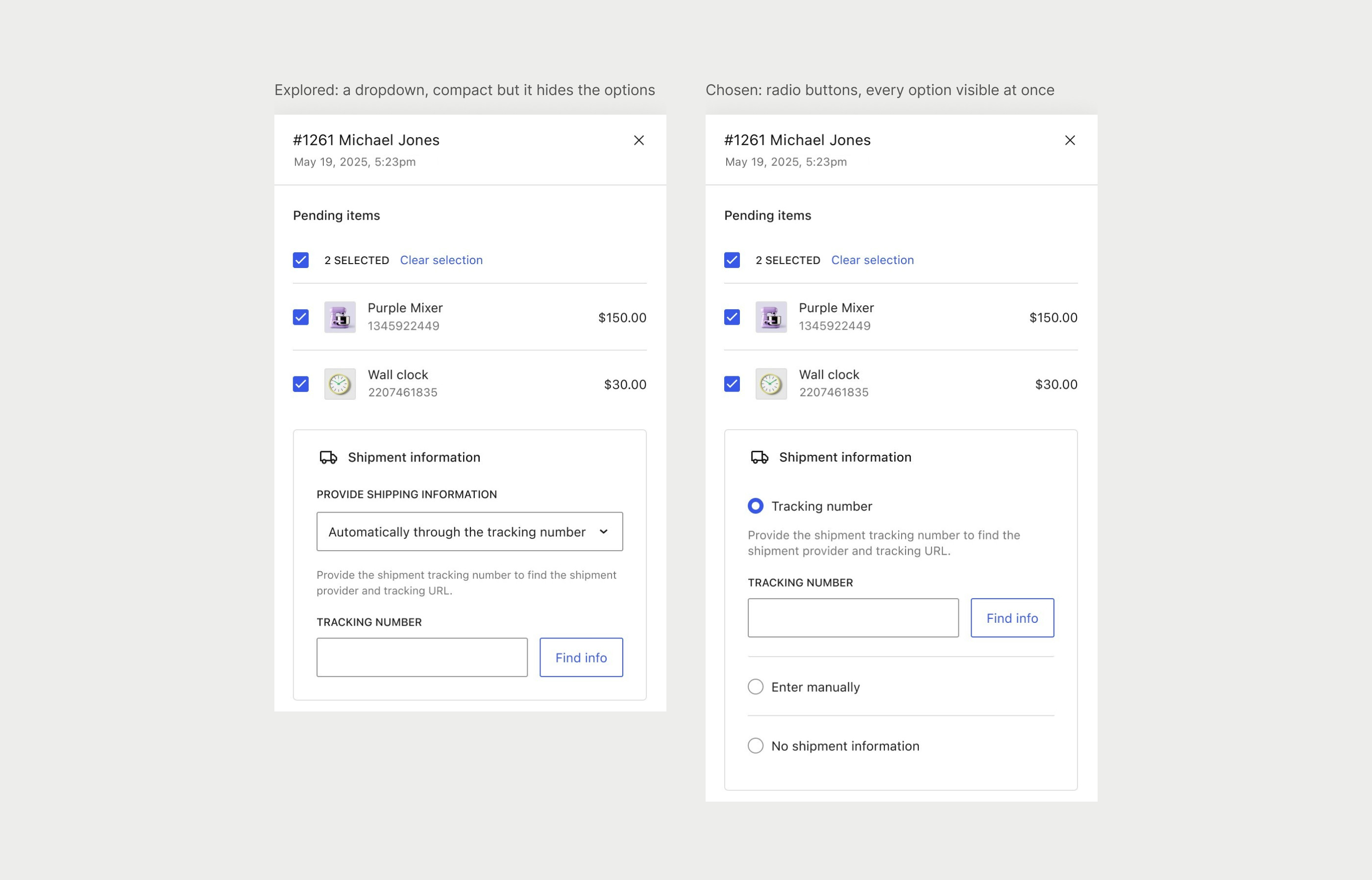
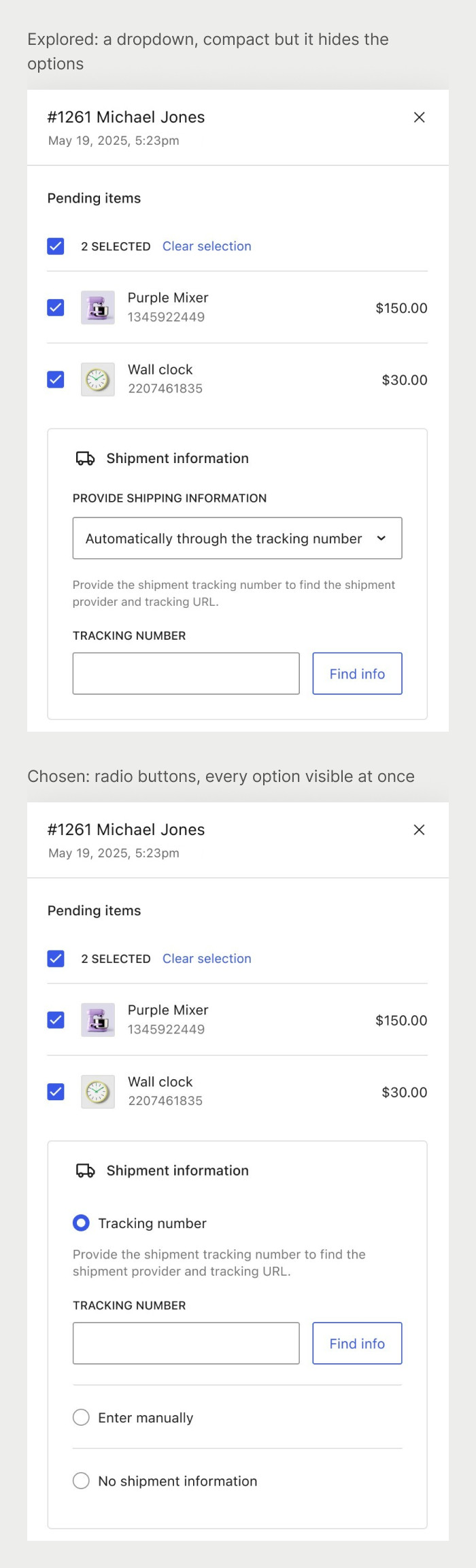
Tracking number, manual entry or no shipment.
Merchants can look up a tracking number, enter the details by hand, or skip shipment for digital items. A dropdown kept the panel short, but it hid two of the three options, so I chose radio buttons, which show every option at once, and accepted a slightly longer panel.
04 — Testing
13 people, one clear fix.
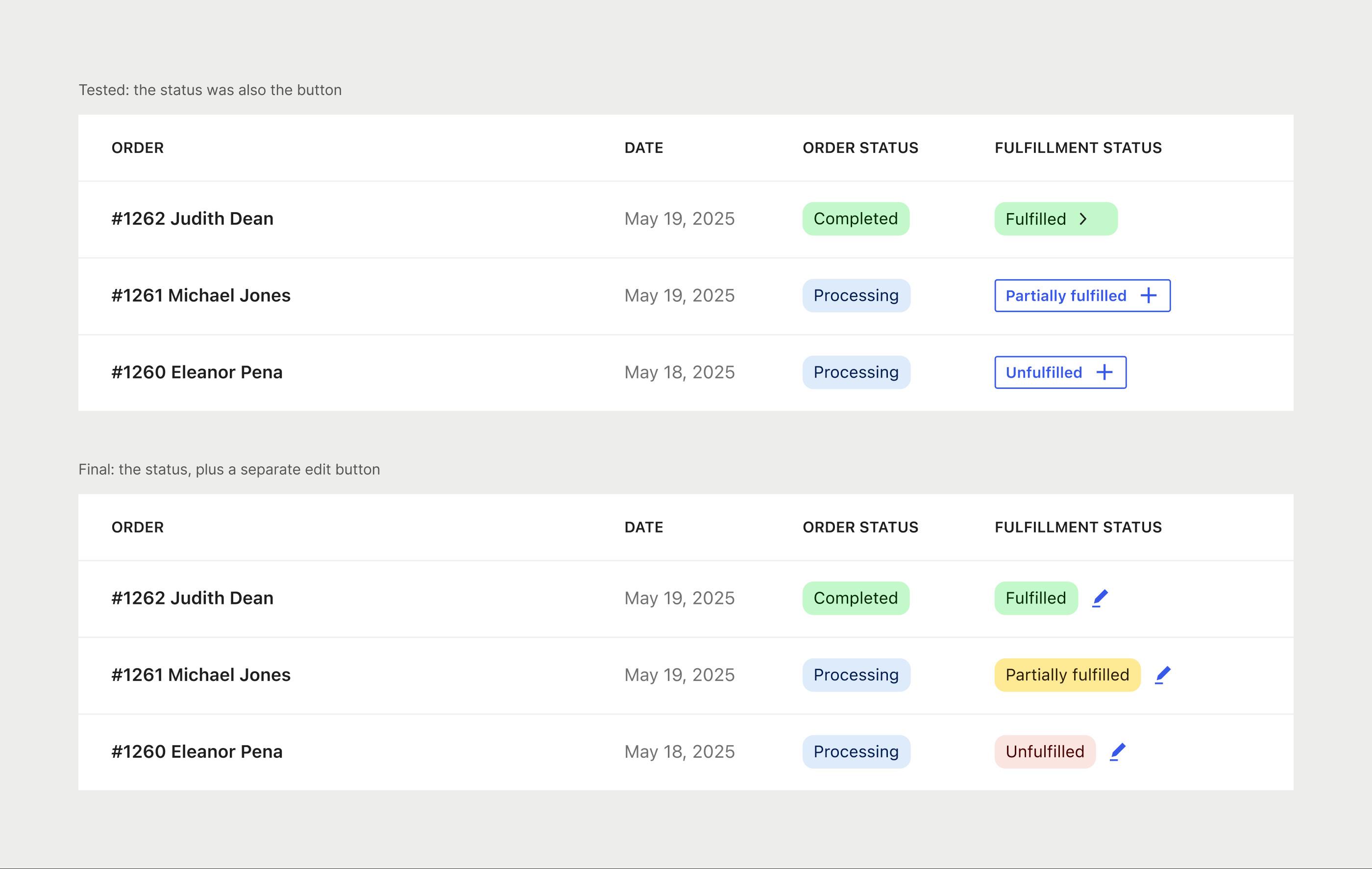
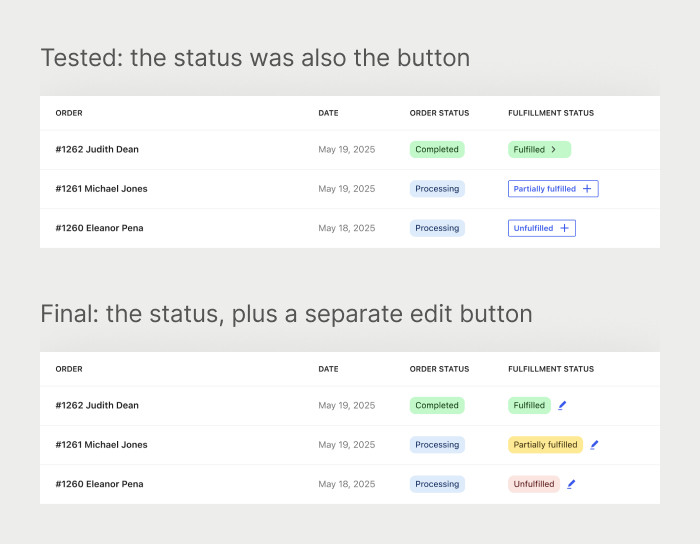
I ran one moderated session and 12 unmoderated tests in Maze and Lyssna with merchants who run their own operations. Everyone completed a fulfillment, but all of them struggled to open it, because the status in the order list looked like a label, so I split it in two: the status and an edit button next to it. Most people also expected to fulfill from the order page, which we kept for after the beta so it could ship sooner.
05 — Documentation
Every state, documented.
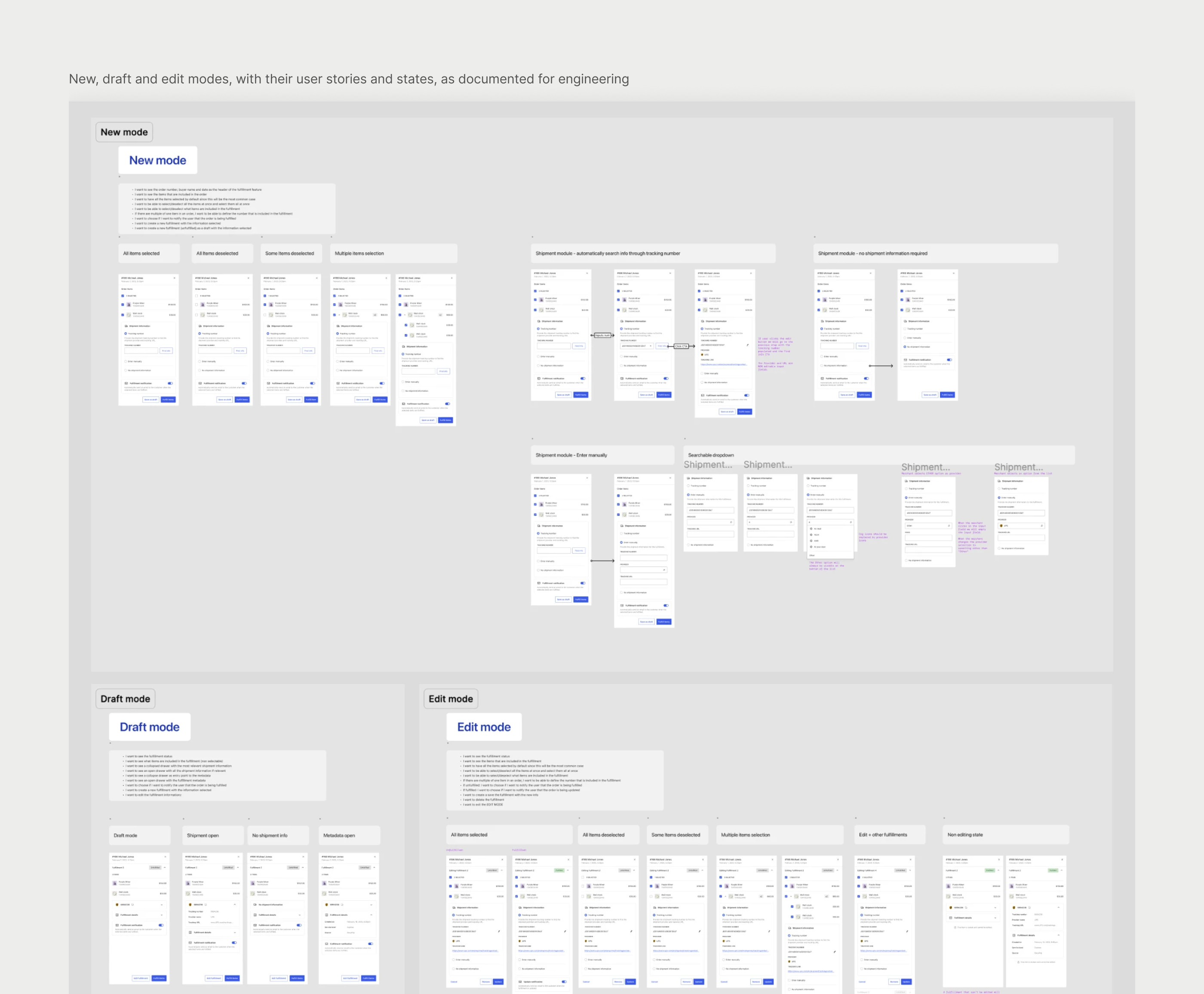
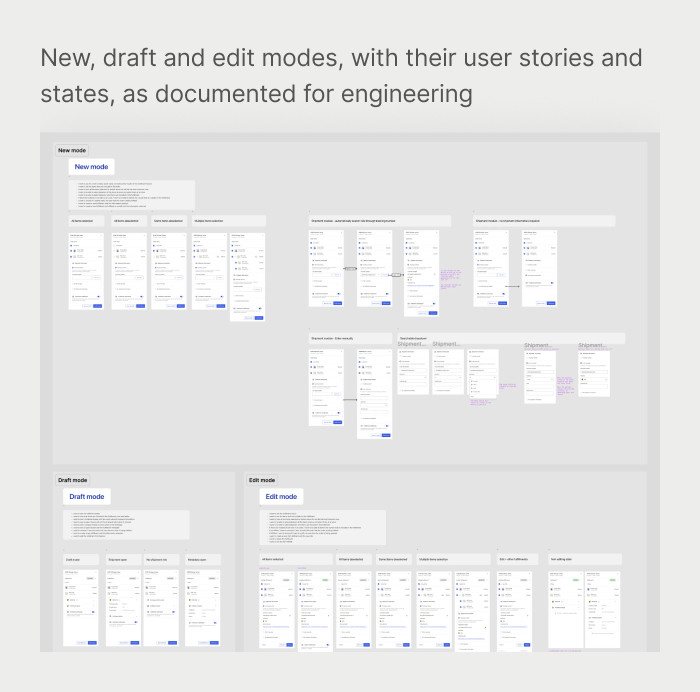
I documented the four modes of the panel (new, draft, edit and fulfilled), plus order statuses and errors, each with its user stories and every state it can be in, so engineering could build it without guessing.
06 — More than one warehouse · Proposed
One order, shipped from two places.
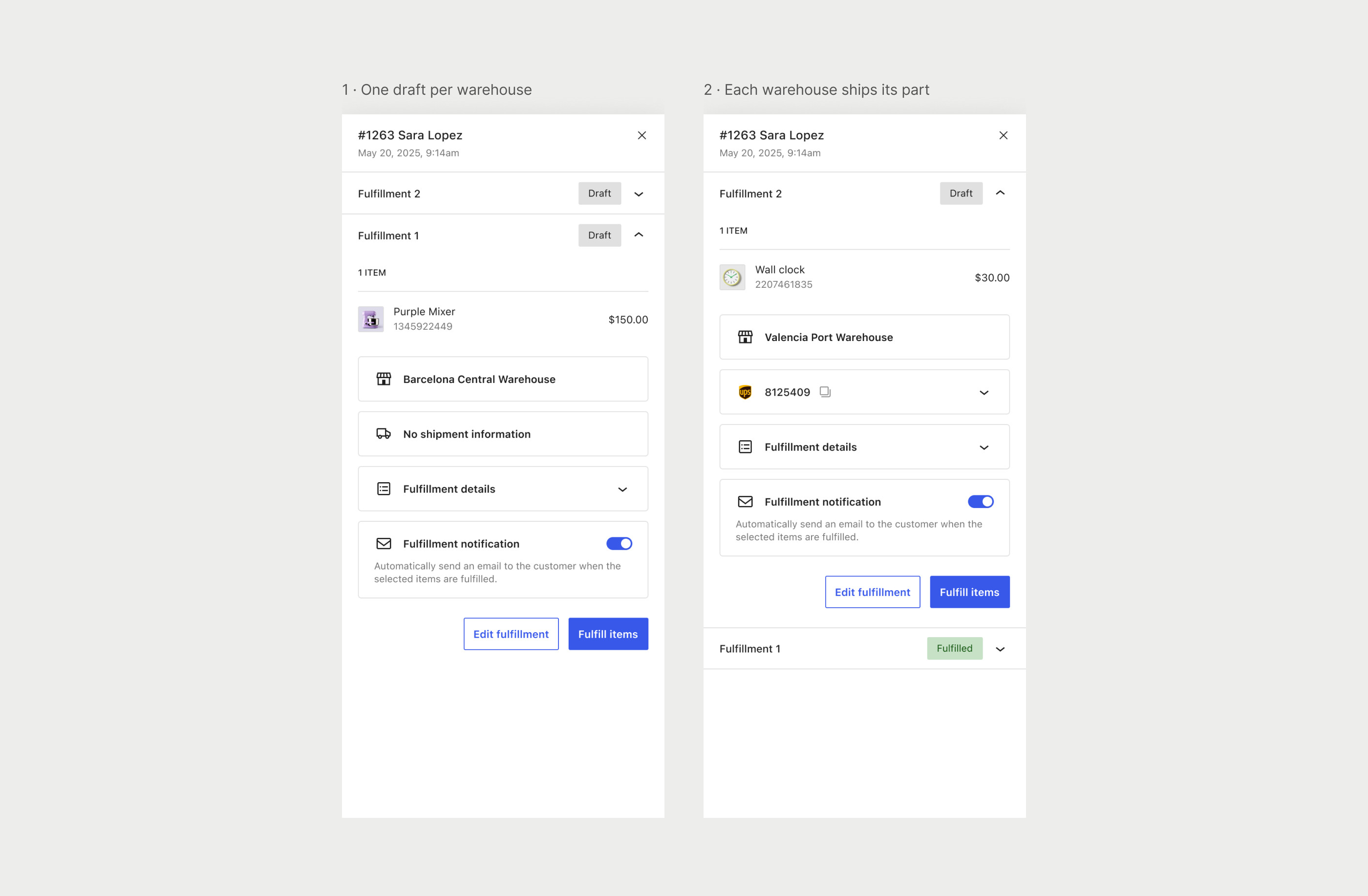
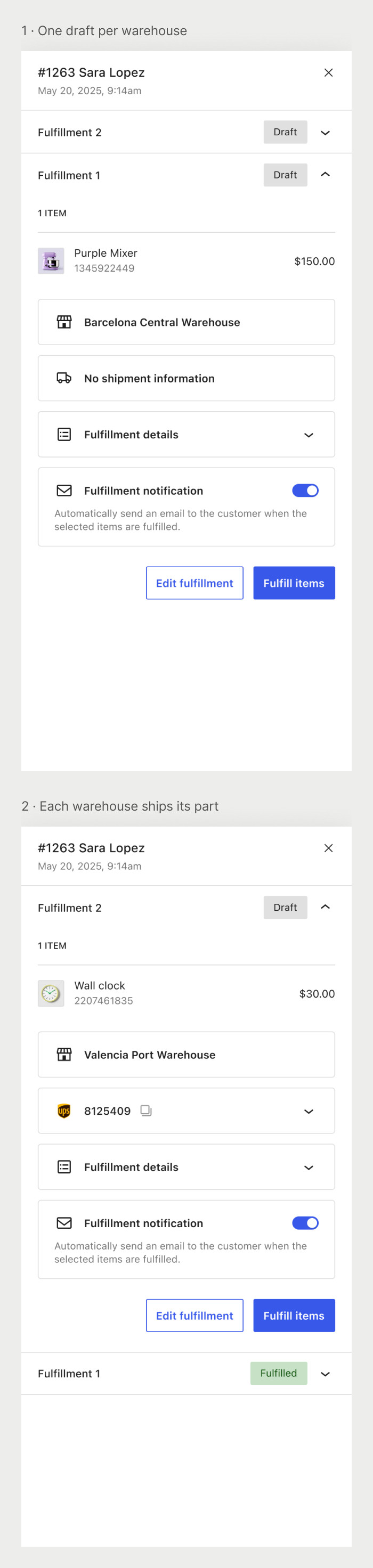
A developer asked for this during the public call for testing. Some stores keep products in more than one warehouse, so merchants split those orders by hand. I proposed fulfillment centers: each product belongs to a center, new orders split into one draft per center, and each warehouse ships its own part.
07 — Local pickup · Proposed
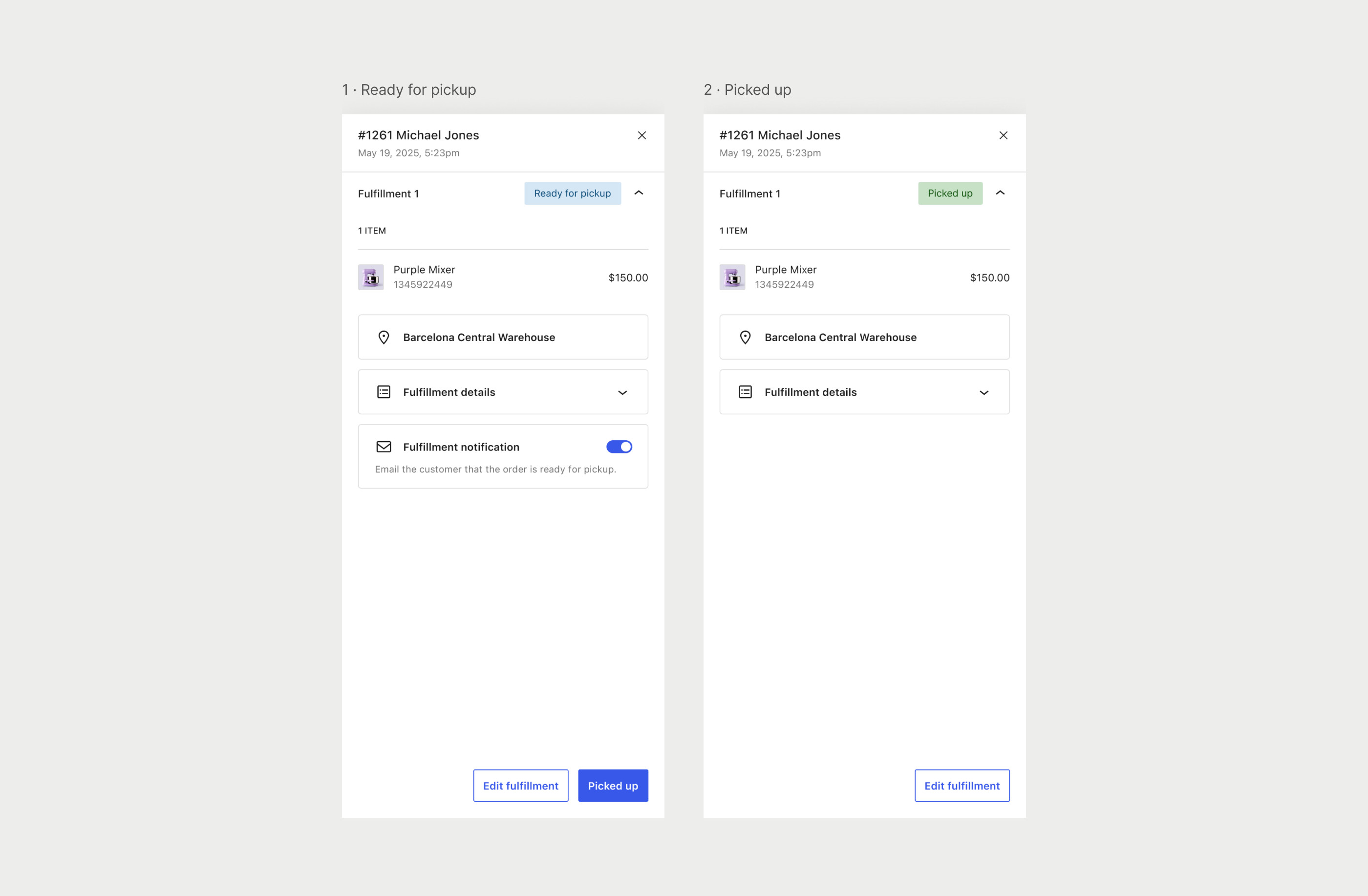
Ready for pickup, then picked up.
Merchants asked for this in the first feedback round. Pickup orders were treated like shipped ones: the panel asked for a tracking number, and the email said the items were on the way. I proposed two steps, Ready for pickup and Picked up, so customers hear when their order is ready instead of being told it has shipped.
08 — Where it is now · Beta
Live as a beta, shaped by testers.
Fulfillments launched as a beta in WooCommerce 10.2 in September 2025, behind a feature flag that keeps it off until a store turns it on. In design QA I found five issues in the build, and the public call for testing brought requests from merchants, developers and shipping partners, two of which became my next proposals.
Product
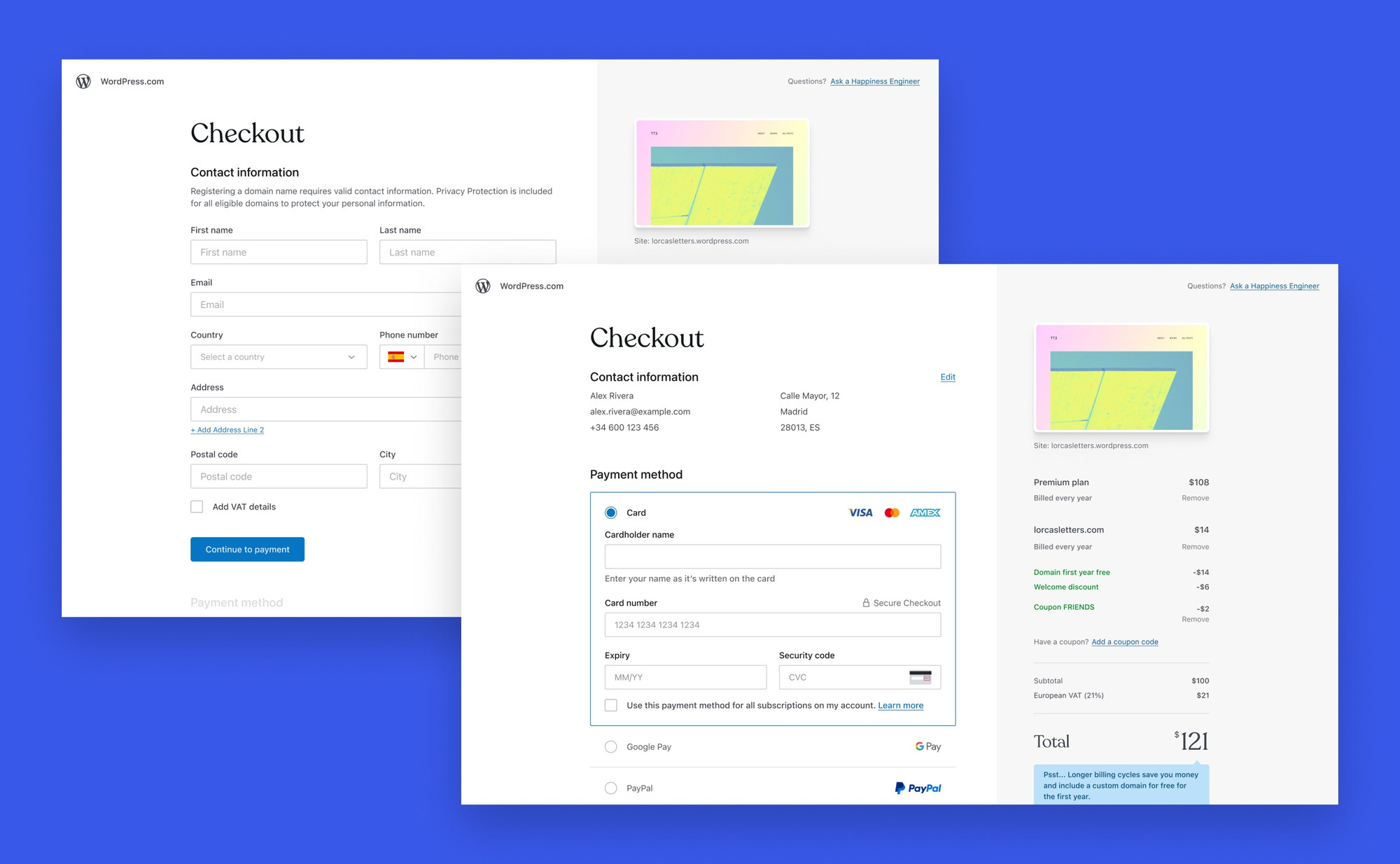
WordPress.com A simpler checkout
Forms on one side, the order on the other and the total cost upfront. Five of six changes shipped, and the page got calmer and clearer.Five of six changes shipped, and the page got calmer and clearer.
Product
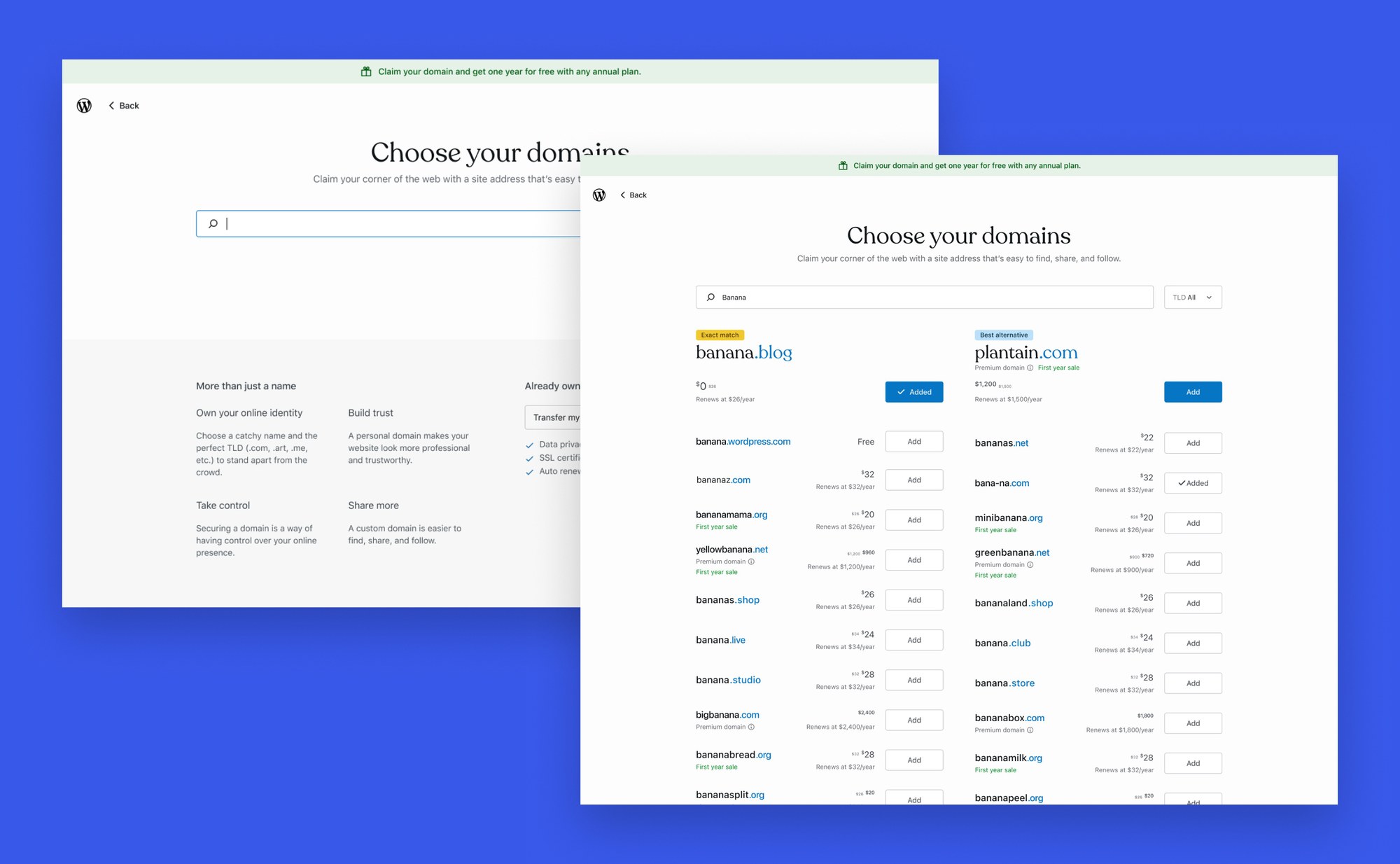
WordPress.com A clearer way to get a domain
I audited every domain flow, then designed a clearer search and a bulk transfer that welcomed Google Domains customers.A clearer search and a bulk transfer for Google Domains customers.
